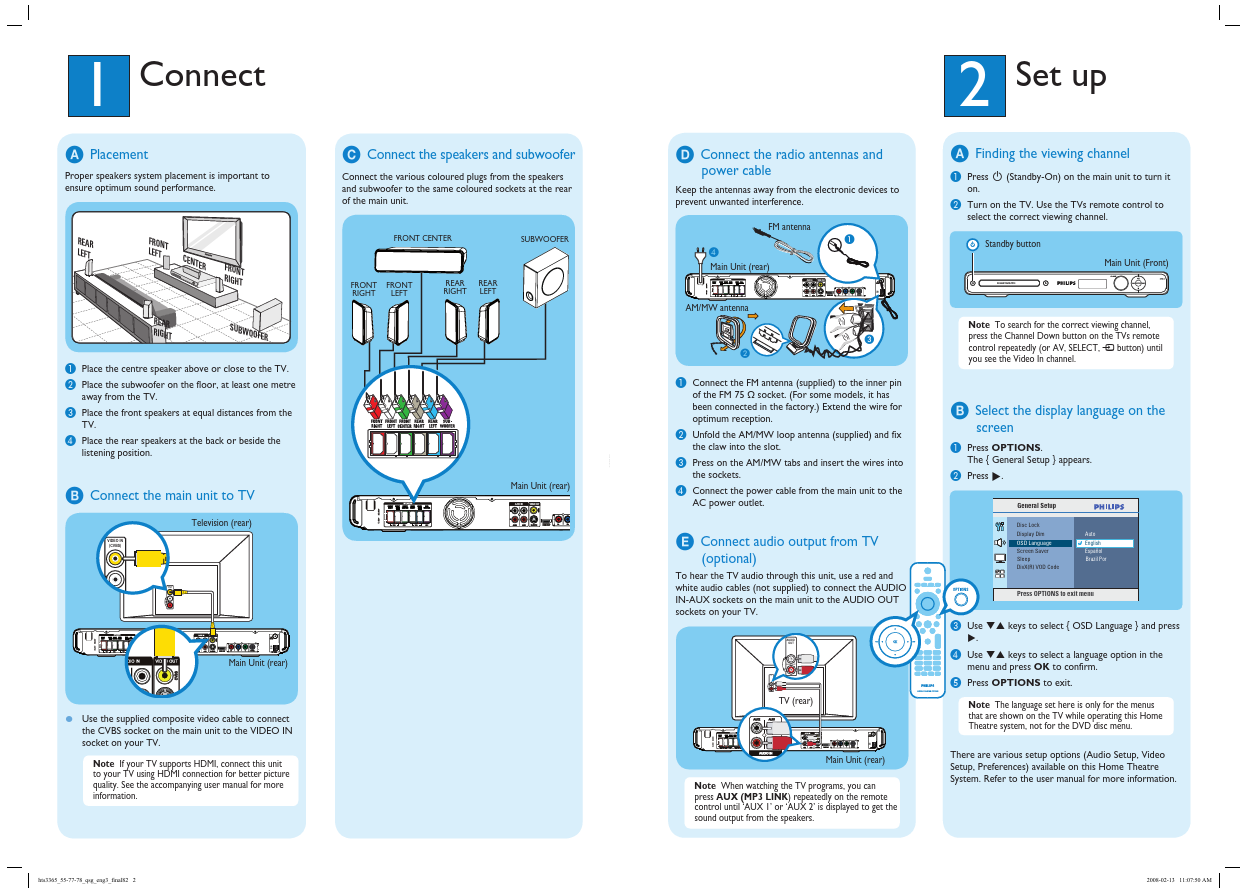
Click to expand full text
3
Enjoy
Playback other supported devices
Register your product and get support at
www.philips.com/welcome
HTS3365
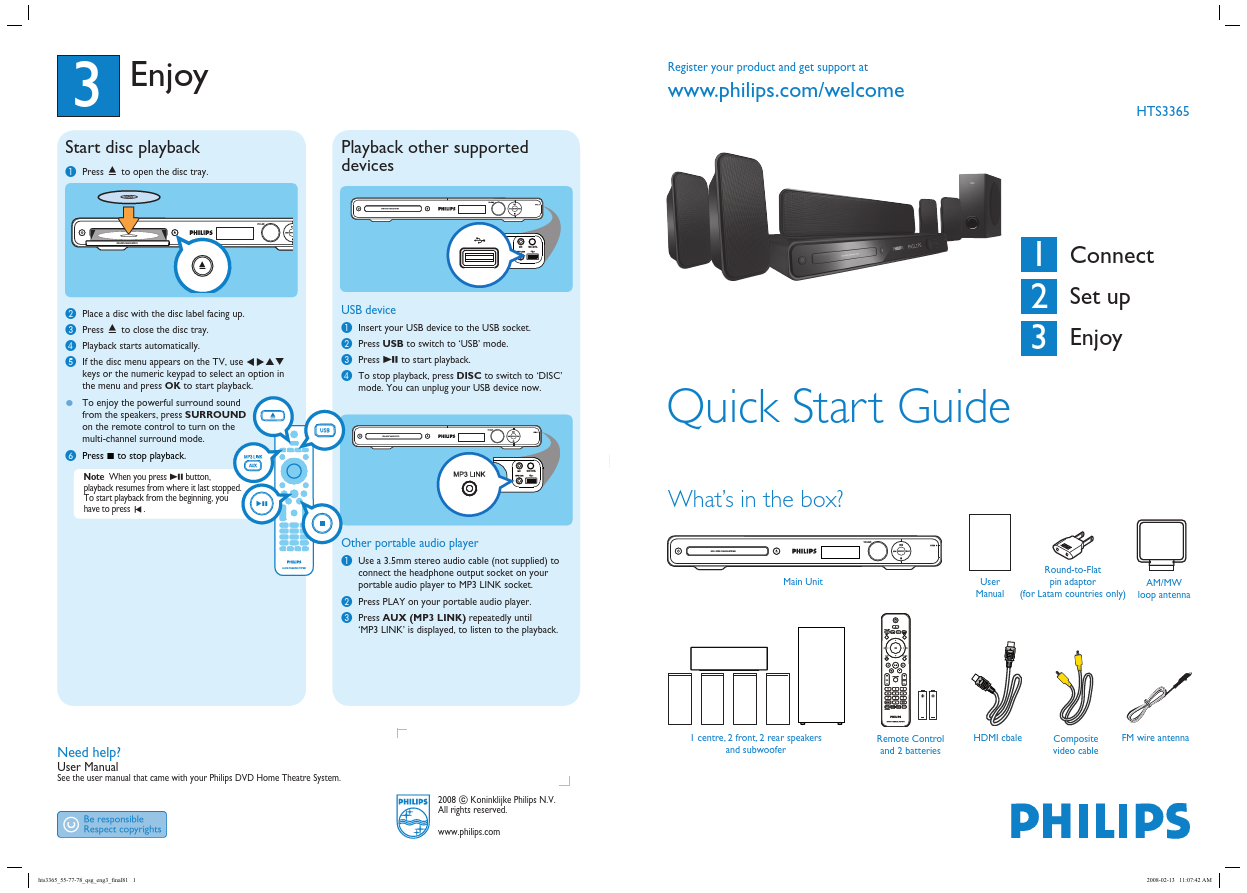
Start disc playback
A Press ç to open the disc tray.
MIC MP3 LINK
MIC LEVEL
B C D E
Place a disc with the disc label facing up. Press ç to close the disc tray. Playback starts automatically. If the disc menu appears on the TV, use keys or the numeric keypad to select an option in the menu and press OK to start playback. from the speakers, press SURROUND on the remote control to turn on the multi-channel surround mode.
USB device
A B C D
Insert your USB device to the USB socket. Press USB to switch to ‘USB’ mode. Press u to start playback. To stop playback, press DISC to switch to ‘DISC’ mode. You can unplug your USB device now.

 HTS3365 Datasheet