The following content is an automatically extracted verbatim text
from the original manufacturer datasheet and is provided for reference purposes only.
View original datasheet text
www.DataSheet4U.com
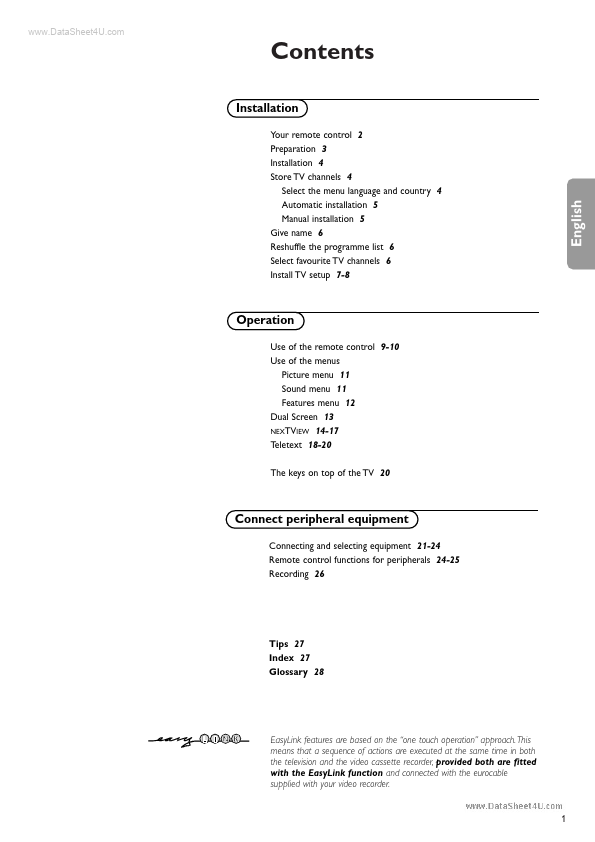
Contents
Installation
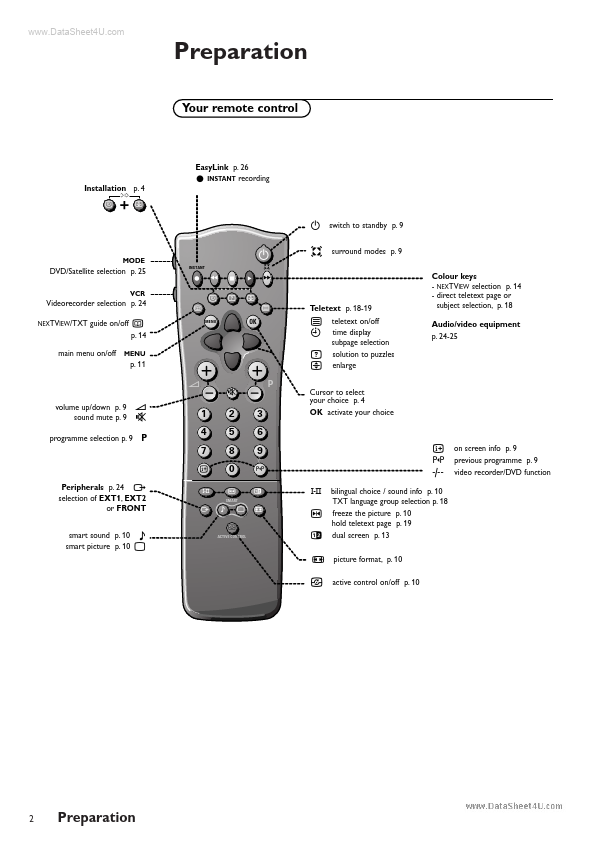
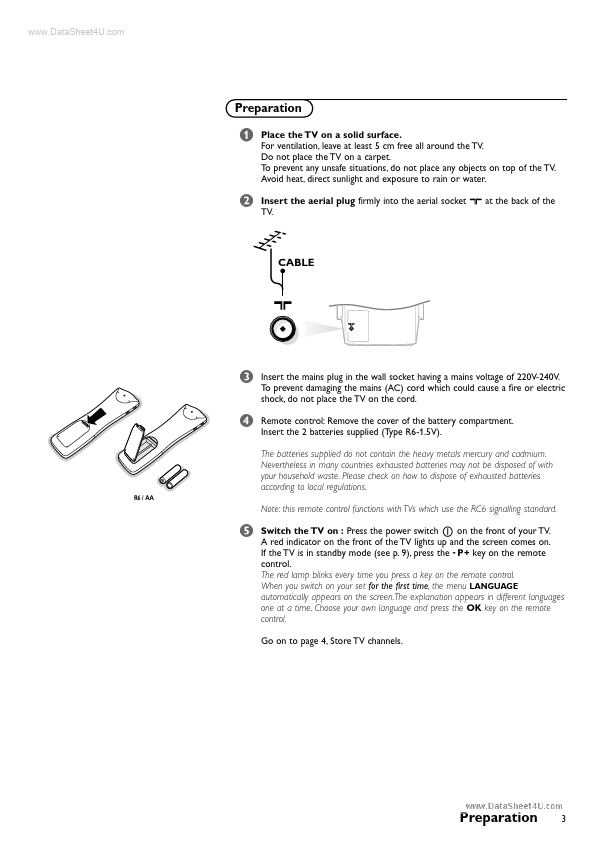
Your remote control 2 Preparation 3 Installation 4 Store TV channels 4 Select the menu language and country 4 Automatic installation 5 Manual installation 5 Give name 6 Reshuffle the programme list 6 Select favourite TV channels 6 Install TV setup 7-8
Operation
Use of the remote control 9-10 Use of the menus Picture menu 11 Sound menu 11 Features menu 12 Dual Screen 13 NEXTVIEW 14-17 Teletext 18-20 The keys on top of the TV 20
Connect peripheral equipment
Connecting and selecting equipment 21-24 Remote control functions for peripherals 24-25 Recording 26
Tips 27 Index 27 Glossary 28
EasyLink features are based on the “one touch operation” approach.

 28PW8506 Datasheet